Why a 4K disc beats every stream — and your own rips beat both
Streaming is convenient. But if you've invested in a modern TV — 4K OLED, QD-OLED or WOLED, with Dolby Vision and Dolby Atmos — you're seeing a fraction of what your screen can do. Here's the technical reason, and why ripping your own discs gives you the best picture and sound there is.
The bitrate gap
Bitrate is how much picture data reaches your screen each second. More data means finer detail, smoother gradients and cleaner motion. A 4K UHD Blu-ray runs many times higher than any mainstream stream — and unlike streaming, it never drops when your connection wobbles.
Approximate peak video bitrate in Mbps. 50GB UHD discs reach 72–92 Mbps; 66/100GB discs reach 92–144 Mbps. Streaming figures fluctuate with network load.
The four things you're actually seeing on a stream
To squeeze a 70+ Mbps master down to ~16 Mbps, streaming throws away data. On a big, high-contrast panel, that loss becomes visible.
Banding gradients
Smooth skies, shadows and lighting transitions break into visible stripes when there aren't enough bits to render a clean gradient. Worst in dark scenes — exactly where OLED shines.
Blocking & artefacts motion
Fast motion, smoke, rain and dense foliage overwhelm the codec, leaving blocky "macroblocks" and mushy texture. The AV1 codec helps but still prioritises smooth playback over fidelity.
Judder & stutter playback
Adaptive streaming drops and re-buffers frames as bandwidth shifts, so pans and action can hitch. A disc plays at a locked, consistent rate from start to finish — no internet involved.
Lost detail & softness resolution
Both may say "4K", but compression strips the fine, high-frequency detail — pores, fabric, distant textures. On a 65"+ screen the disc simply looks sharper and more three-dimensional.
Ghosting & smearing motion
Trails and smearing follow fast objects when the codec can't keep up — sports, whip-pans and busy action lose their crispness. A disc holds each frame cleanly at full bitrate.
Crushed blacks & raised shadows HDR
To save bits, streams crush shadow detail into flat black or lift it into murky grey. On an OLED you lose the subtle detail in dark scenes that a UHD disc preserves exactly — the difference between "dark" and "deep".
HDR, Dolby Vision & lossless audio — and why the disc carries more of it
"HDR" and "Dolby Vision" badges appear on streams and discs alike — but the disc carries the full-fat version, at full bitrate. Here's what each one does, and what you keep when you rip your own.
The baseline
Open HDR with one brightness and colour setting for the whole film (static metadata). Every 4K TV supports it, and it's the fallback layer even when a disc also carries Dolby Vision.
Dynamic, scene by scene
Adds dynamic metadata so brightness and tone-mapping adjust per scene — closer to the creative intent. Royalty-free, common on 4K discs, and preserved untouched when you rip.
The disc's secret weapon
UHD discs carry Dolby Vision as Profile 7 with a Full Enhancement Layer (FEL) — a second layer of picture data over HDR10, up to 12-bit. Streaming sends the lighter single-layer Profile 5/8. Rip the disc and you keep the FEL: the highest-quality consumer HDR there is.
Lossless, object-based sound
Discs carry Atmos and DTS:X in lossless Dolby TrueHD and DTS-HD Master Audio — the exact studio mix. Streams squeeze the same soundtrack into compressed Dolby Digital Plus. On a real speaker setup the gap is immediate.
You need a capable display (a 4K OLED, QD-OLED or WOLED with Dolby Vision) and a player that can output Profile 7 FEL and pass lossless audio. Many popular boxes can't — so here's how the common players compare.
4K UHD Blu-ray vs the best streaming
| Your 4K UHD rip | Apple TV 4K | Netflix / Prime / Disney+ | |
|---|---|---|---|
| Peak video bitrate | 72–128 Mbps | ~25–40 Mbps | ~15–25 Mbps |
| Compression | Light, archival-grade | Heavy | Very heavy, variable |
| HDR | Dolby Vision / HDR10+ at full bit depth | Dolby Vision | DV / HDR10+ (compressed) |
| Dolby Vision layer | Profile 7 + full enhancement layer (FEL) | Profile 5 (single layer) | Profile 5 (single layer) |
| Audio | Lossless Atmos / TrueHD / DTS:X / DTS-HD MA | Compressed Atmos | Compressed Atmos / DD+ |
| 3D Blu-ray (MVC) | Yes — keep the frame-packed 3D track | Not available | Not available |
| Quality when your internet dips | Unaffected — it's local | Drops | Drops |
| Works fully offline | Always | Downloads expire | Downloads expire |
| Stays in your library | Forever — you own the disc | Until it's removed | Until it's removed |
Full-fat Dolby Vision on OLED, AMOLED & WOLED
HDR only reaches its potential with bit depth and headroom that streaming compresses away. From the disc you get the full dynamic range — brighter highlights, true blacks your OLED can actually hit, and finer colour gradients with virtually no banding. The exact image the colourist approved.
Lossless object-based audio
Streaming services deliver compressed audio; discs carry lossless Dolby Atmos, Dolby TrueHD, DTS:X and DTS-HD Master Audio — the full, uncompressed mix. On a real speaker setup or a good soundbar, the difference in clarity, dynamics and placement is immediately obvious.
Best 4K media players, compared
Once your films are ripped to MKV, a good media player feeds them to your TV at full quality. The big divider is Dolby Vision Profile 7 FEL — the disc-grade layer — which only some players output. Capabilities change with firmware, so verify the latest before buying.
| Player | Best for | DV Profile 7 FEL | Lossless Atmos / DTS:X | Notes |
|---|---|---|---|---|
| Zidoo (Z9X Pro / UHD3000) | Local rip libraries & picture quality | Yes — VS10 engine | Yes | Purpose-built for ripped UHD; superb tone-mapping and NAS playback. |
| Dune HD (Pro Vision 4K) | Newest codecs & licensed apps | Yes | Yes | Newer chipset with AV1 decode; strong all-round local player. |
| Ugoos AM6B+ (CoreELEC) | Maximum fidelity on a budget | Yes | Yes | True P7 FEL for the money — but a tinkerer's box (Kodi/CoreELEC). |
| Nvidia Shield TV Pro | All-rounder & Plex server | No — HDR10 base | Yes (passthrough) | Ageing (2019) but still an excellent Plex/Kodi machine. |
| Apple TV 4K | Ease of use & streaming apps | No — plays as P8/HDR10 | Atmos (lossy) | Slickest interface and apps; can't output disc-grade FEL or lossless TrueHD. |
| Amazon Fire TV Stick 4K Max | Budget streaming | No | No (lossy) | Fine for apps; not the tool for disc-quality local playback. |
FEL output also depends on your TV and the player's Dolby Vision mode (player-led vs TV-led / LLDV). The rip itself is universal — these players differ only in how much of it reaches your screen. Configuring one of these is a service we may add in future; ask us if you'd like a hand.
You own it. It never changes, and it never disappears.
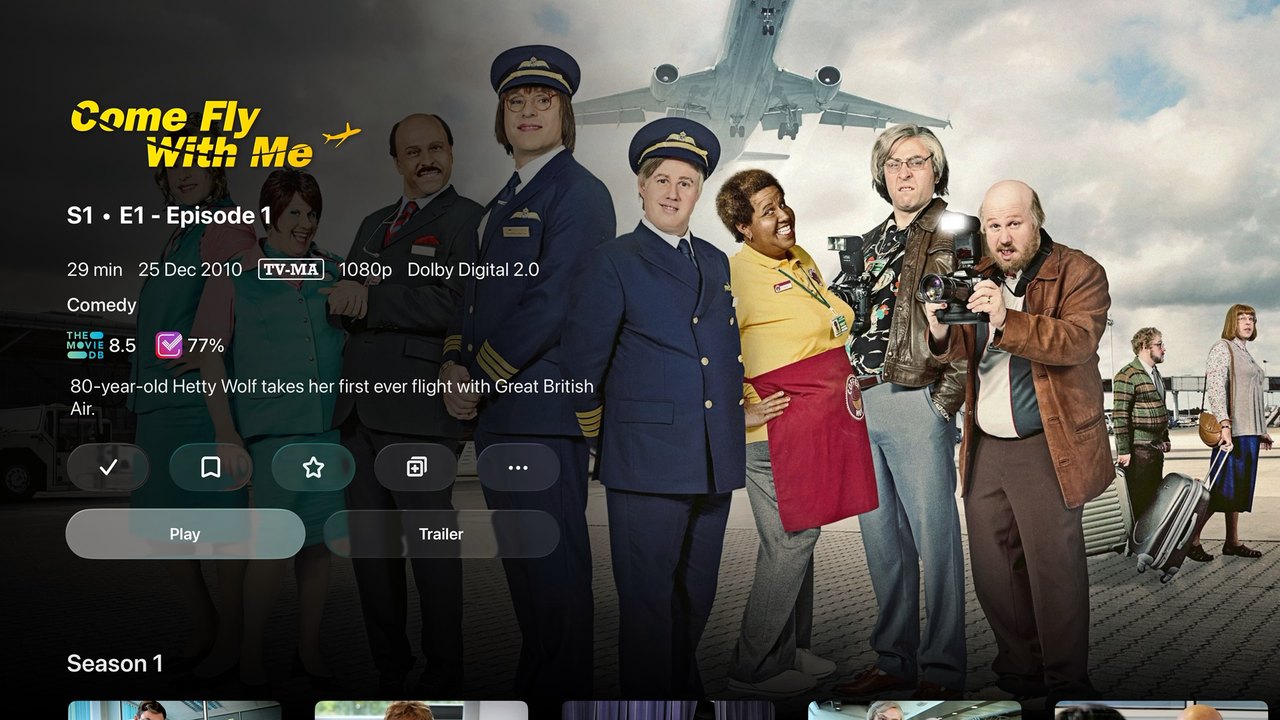
Streaming libraries shift under your feet. Subscriptions keep rising, ads now creep into tiers you already pay for, the best 4K and Atmos is often locked behind the priciest plan, and titles vanish without warning when a licence lapses. Some shows have been pulled from UK streaming entirely — like the BBC comedy Come Fly with Me — while others have returned only in edited form, such as Little Britain. A disc you've ripped is immune to all of it: you keep the complete, original cut, in the highest quality, on your own server — whatever the platforms decide next.
Streaming vs. your own media library
- The full, unedited cut — not a regional or trimmed version
- No price hikes, no new ad tiers, no surprise removals
- Full 4K, Dolby Vision FEL and lossless audio — nothing paywalled
- Plays instantly and offline — no buffering when the Wi-Fi dips
- One library across Plex, Jellyfin, Emby, Kodi & your NAS
- Yours to keep, archive on M-DISC and pass on
Built for people who care how their films look
This is exactly how a lot of us started — one disc, a media server, and the realisation that we'd been paying more every year for less.
Starting a collection
You want to own your favourite films and box sets and build a proper library you control — not rent access that can be taken away.
Getting the most from a modern TV
You've spent on a 4K OLED with Dolby Vision and Atmos, and you want to feed it the best possible signal — for film nights that actually show it off.
Done with streaming's downsides
Rising subscriptions, more ads, worse quality and content disappearing or being edited. You'd rather buy once, rip once, and keep it.
Audiophiles & music lovers
You care about sound as much as picture — lossless Atmos, TrueHD and DTS:X on a real system — and you want to rip and archive your CD collection properly too.
Archivists & preservation
You want a permanent, original copy — family video and discs backed up to archival M-DISC that outlasts any hard drive, safe from disc rot, bit-rot and ransomware.
Accuracy-minded & tech-savvy
You appreciate getting it exactly right — the colourist's intended image and the studio's mix, at full bit depth, not a re-compressed approximation.